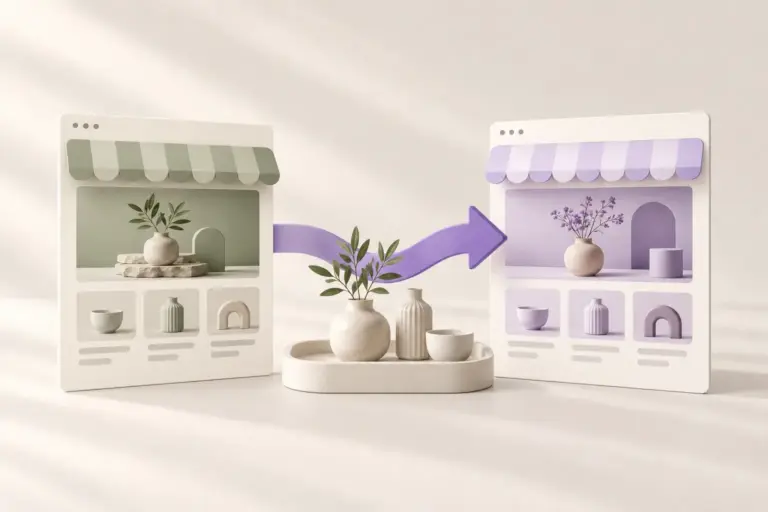

A WordPress page can look like a single composition while being assembled from several layers. The article text may belong to a post, the surrounding layout to a template and the header to a shared template part. Colors and typography can come from site-wide styles. Understanding those layers makes editing less frustrating because you can change the right thing once, at the right scope.
Consider an imaginary ceramics studio with a homepage, a journal and an online shop. The studio wants a consistent header on every screen, a distinct layout for articles and a warm brand palette throughout. Block themes provide a way to organize these decisions. You do not need to memorize every technical file to benefit from the structure.
A template provides the surrounding structure
A template defines how a type of content is presented. A single-post template might include a title, featured image, article body and shared footer. The body of a particular article remains separate. This is why changing a template can affect many posts without editing each post individually. WordPress selects a suitable template according to its template hierarchy and the type of request.
For the ceramics studio, the journal template should work for a short announcement and a long process story. Before changing it, ask whether the adjustment belongs to every article or only the one you are reading. A shared layout change belongs at the template level; a paragraph about a particular glaze belongs in the article. Keeping those responsibilities separate helps prevent accidental site-wide changes.
Template parts keep shared areas consistent
A header and footer are common examples of template parts. They contain pieces that appear across multiple templates, such as navigation, a logo or contact information. Reusing a shared part avoids maintaining separate copies of the same menu in each page layout. It also means a change to that shared part can have a broad effect.
Imagine moving the studio’s contact link from the footer to the header. Review the shared header once, then inspect the homepage, a journal article and a product page. Each context has different space demands. A link arrangement that fits beside a short wordmark on desktop may need a clearer mobile menu. Shared editing saves repetition, while cross-page review confirms that the shared solution still works.
Patterns are useful starting compositions
A block pattern is a prearranged composition of blocks. It might be an introduction with a heading and two columns, a testimonial area or a call to action. Patterns help you start with an intentional arrangement instead of assembling every section from scratch. What happens after insertion depends on whether you use ordinary independent content or a synced pattern.
A normal inserted pattern can become the local content of that page. A synced pattern is intended for reuse with connected updates. For the studio, a unique introduction to a spring collection should be editable as its own content. A repeated opening-hours panel may benefit from synchronization. Decide whether changes should propagate before reusing the same composition across many pages.
Global styles establish the visual vocabulary
Site-wide styles bring shared choices such as colors and typography into one place. Instead of manually giving every heading the same treatment, you can establish a consistent base. Individual blocks may still have their own settings, so a page can contain local overrides. When one heading refuses to follow a global change, inspect its local settings before assuming the whole style system is broken.
For a small brand, start with a readable body face, a clear heading hierarchy, a restrained palette and comfortable spacing. Test the combination with real paragraphs and product descriptions. A beautiful type sample is not enough if longer text becomes tiring to read. Avoid using a different accent treatment for every section simply because the controls allow it.
Choose the right editing surface
Editing a page’s content and editing its surrounding template are related tasks with different scopes. Before making a change, identify the layer you are working on. If a layout is managed by a plugin or a separate design system, read that tool’s workflow as well. A preview panel can expose controls that do not map directly to a normal paragraph block in the page editor.
Temvella uses a Base theme and a Library workflow for design selection and brand, homepage, header and footer adjustments. The saved page content remains part of WordPress, while the design tools coordinate its presentation. Use the setup and editing guidance for the current release. If you are comparing approaches, our theme and design library guide explains the broader decision.
Build a small editing map for your project
Write down where five recurring tasks belong: changing the logo, editing a product description, adding an article, adjusting site colors and changing the footer links. This small map is especially helpful when someone else will maintain the website. Include the scope of each task so that a future editor understands which changes affect one page and which affect the whole site.
Then make one modest change and inspect several page types. The purpose is not to avoid experimentation, but to understand its reach. When the layers are clear, block-based editing becomes a practical system instead of a collection of unfamiliar terms. You can explore complete Temvella designs with a better idea of what belongs to the design and what belongs to your own content.
Sources and further reading
WordPress developer handbook: templates. Technical references checked October 26, 2026.
WordPress: block patterns. Technical references checked October 26, 2026.
WordPress: styles overview. Technical references checked October 26, 2026.